
CommerceOS · Fulfilment
A clearer handoff.
From counter to kitchen.
Keep order details, modifiers and collection status visible in Rewardly KDS. Show the kitchen the information it needs to prepare and hand over each order.
For Singapore F&B and retail businesses
 View screen ↗
01 / Kitchen display system
The order and its details, together.
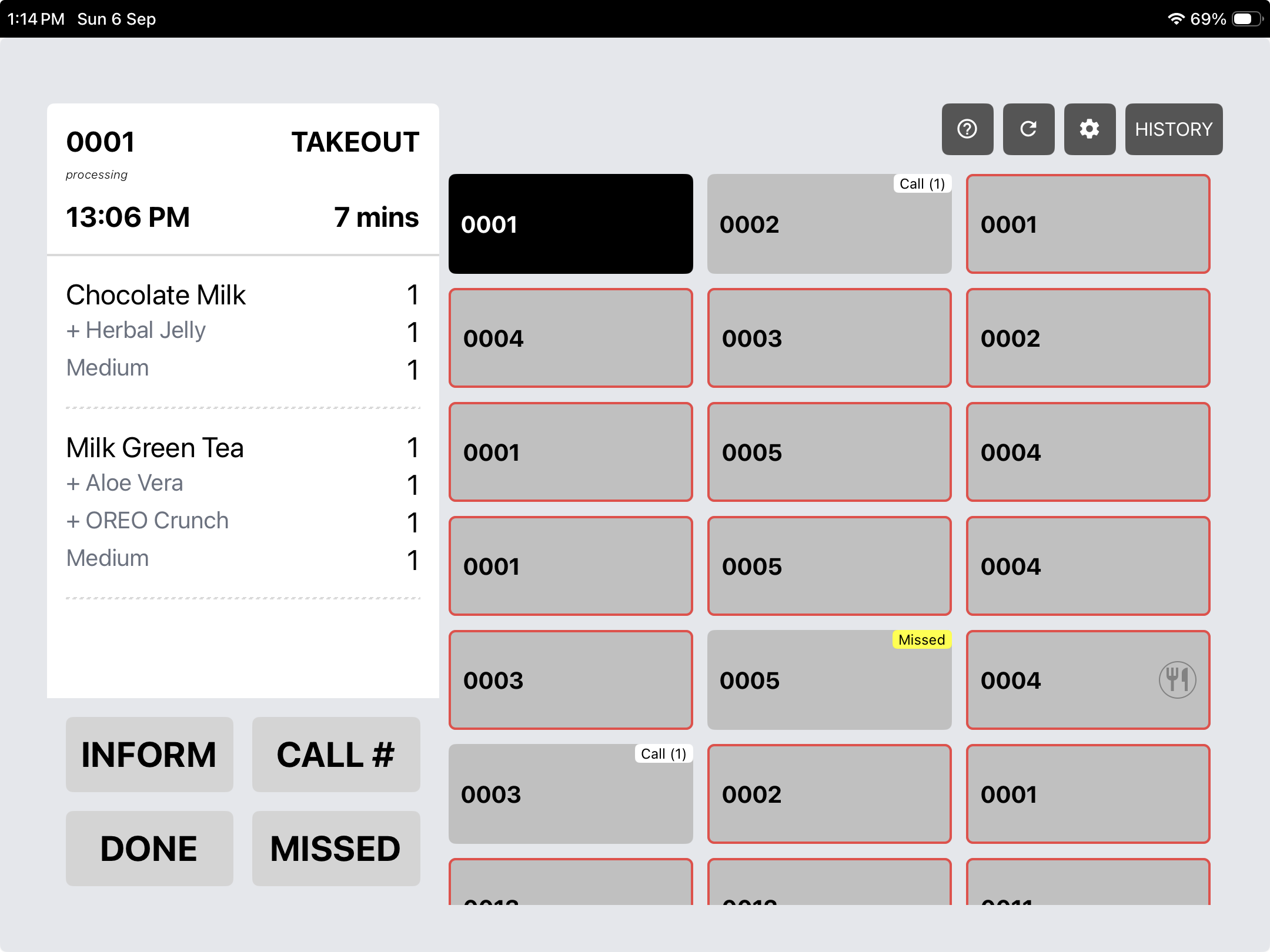
Select an order to see products, quantities and modifiers alongside the queue. The screen displays order type, time and elapsed minutes.
View screen ↗02 / Kitchen display system
Move from preparation to collection.
The supplied KDS screen includes Inform, Call, Done and Missed controls, with call and missed states visible on order tiles. Ask for a walkthrough of your exact kitchen and collection setup.
View screen ↗Keep exploring
Works as part of a bigger picture.
Rewardly POS
A cloud POS for Singapore cafés, restaurants and retailers. Take an order, customise it and complete checkout—with the wider operation close at hand.
Explore Rewardly POS ↗02 / CommerceOSSelf-ordering kiosk
A self-ordering journey that brings product choices, add-ons, vouchers and gift cards to the customer—without sending them to a separate loyalty experience.
Explore Self-ordering kiosk ↗03 / PaymentsPaymentOS
Bring the order amount and payment choice into the POS checkout. Rewardly’s supplied screen includes cash, PayNow, credit card and Tap to Pay options.
Explore PaymentOS ↗Your business. Your workflow.
See how it all
comes together.
Bring your menu, your busiest service scenario and your questions. Let’s walk through them in Rewardly.
Good questions
A little more clarity.
Can I see this with my own business workflow?
Yes. Request a tailored demonstration using your menu, sales channels and operational requirements. The team can confirm device, payment and module compatibility before you choose a setup.
Are all modules included in every plan?
Scope, hardware, payment services and optional modules should be confirmed in your quotation. Screens illustrate available workflows, not a promise that every configuration is included in every subscription.